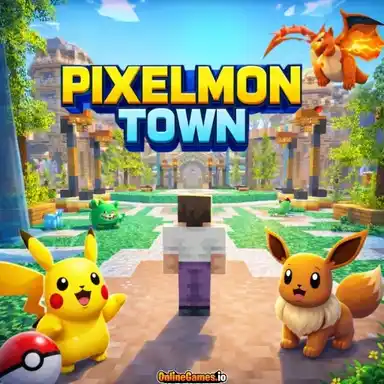
Pixelmon Town – Play Free Casual Browser Game Online
| Game Category | |
| Plays |
26
|
| Platform | Browser |
| Rating |
5/5 (5 reviews)
|
About the Game
Some games give you objectives, enemies, and a story to follow. Pixelmon Town gives you a world full of blocks and walks away. What you build, where you build it, and how long you spend building it is entirely up to you. That freedom is the whole point.
The game is a sandbox building experience inspired by Minecraft’s creative mode. There are no mobs, no hostile creatures, and no survival mechanics to worry about. You are never in danger. The only pressure you face is the pressure of deciding what to build next, and for a lot of players that is exactly the kind of game they need.
You start by choosing your map. Flatgrass is a wide, flat expanse of land with nothing in the way, which makes it ideal for players who want to start building immediately without spending time clearing terrain. Vanilla is more varied, with hills, forests, and lakes that give the world character and make it feel more alive. Building into a hillside, using a lake as a natural border for a castle moat, or working with the existing landscape rather than against it opens up creative possibilities that flat terrain simply does not offer. Both maps are worth trying depending on what kind of project you have in mind.
The block selection covers 58 unique types. Stone, grass, wood, glass, gold, water, and dozens of others give you a material palette wide enough to tackle almost any aesthetic you want. Earthy natural builds, grand stone fortresses, bright colorful structures, underground cave systems — the blocks are varied enough that your imagination is the real limit, not the inventory. Left clicking breaks blocks and right clicking places them, which means the core interaction stays out of your way and lets you focus on building.
Flying is available from the start by pressing Z, and it changes everything. Being able to float above your build and see it from any angle removes one of the most frustrating parts of block building games, which is losing perspective when you are deep inside a project. You can scout a location before committing, check proportions from above, or just cruise around the map looking for the right spot to start. NoClip mode adds another layer of freedom by letting you pass through blocks entirely, which is useful for building interior spaces or checking the inside of something you have been working on from the outside.
Saving your progress is simple. Hit Escape and press Save Level, and your work is stored so you can come back to it exactly as you left it. It is a small detail but an important one for anyone who wants to work on longer projects across multiple sessions.
Pixelmon Town does not try to compete with full Minecraft on features. It does not need to. What it offers is a clean, fast-loading, pressure-free building experience that runs right in your browser without any setup. For players who just want to zone out and make something, that is more than enough.
Controls:
WASD to move, Space to jump, LMB to break blocks, RMB to place blocks, B to open inventory, Z to fly, Left Shift to sprint.
Related Games
More games you might like

Backflip Challenge – Play Free Casual Browser Game

Capybara Clicker Pro – Play Free Casual Browser Game

Cube Worlds – Play Free Casual Browser Game Online

Fast Food Rush – Play Free Casual Browser Game Online

Nova Clicker – Play Free Casual Browser Game Online

Cookie Clicker Pro – Play Free Casual Browser Game Online

Troll Level – Play Free Casual Browser Game Online

Four Colors – Play Free Casual Browser Game Online

Poop Clicker – Play Free Casual Browser Game Online

Wedding Beauty Salon – Play Free Casual Browser Game Online

Mahjong – Play Free Casual Browser Game Online

Kick the Zombie – Play Free Casual Browser Game Online